Order your groceries on Instacart (through Claude)
Bodymaxxer plans your days around your CookUnity meals. The store food that goes with them (rice, chicken, yogurt, the odd bagel) lands on a shopping list, and so do the cooked meals it plans for days no box covers. With Instacart through Claude, every one of those lists comes with a link. The link opens Claude with the list already typed in; Claude’s Instacart connector fills your cart at your store; you check out in Instacart.
Bodymaxxer never orders or pays for anything. The only two things that put food in a cart are your tap on the link and your checkout in Instacart.
What comes first: CookUnity, then the store
CookUnity is the plan. Your fridge of delivered meals fills breakfast, lunch and dinner, and Bodymaxxer drafts the next box each week. Instacart does not replace any of that. It only takes the store lists Bodymaxxer already writes and turns them into a cart, so you stop typing the same items into Instacart by hand.
When a link shows up
A link appears wherever a shopping list appears. There are three kinds of list:
- The week’s store food. When a CookUnity order is placed, the days it covers get the home food that finishes each day’s macros. That becomes two trips: trip 1 the day before the box arrives (everything for the week plus fresh protein for the first four days), trip 2 on day 4 (fresh protein for the rest of the week).
- The backup meal plan. When no box covers a day (a skipped week, travel, a fridge that runs out before the next delivery), Bodymaxxer plans cooked meals for those days. They come with their own trips and prep steps.
- The day before the fridge runs out. When tomorrow is the first day with nothing on hand, the morning brief adds a short staples list sized to the gap.
You see the list, with its link, in the morning brief on the day you shop, when you send /shopping in chat, when you
ask the coach what to buy, and on the dashboard (the Shopping list card and the fridge heads-up).
Set it up
Two minutes, once.
-
In Claude: open Settings → Connectors and connect Instacart, then sign in to your Instacart account. You need a Claude account on the web or in the Claude app; a signed-out browser will ask you to sign in when you open a link.
-
In Bodymaxxer: open Settings → Integrations → Instacart (through Claude). Switch on Show Instacart links and type your Preferred store (the store name as Instacart shows it, like “Publix”). Leave the store empty and Claude asks you which store each time.
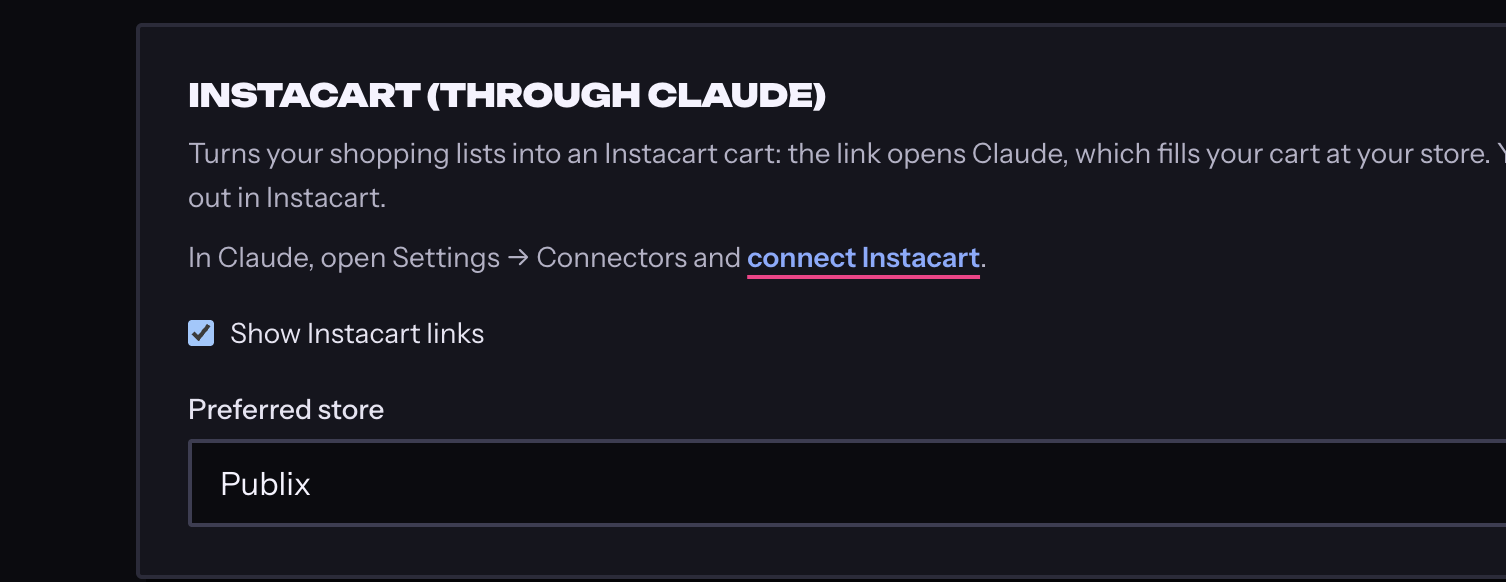
That’s it. The next list you get carries the link.
What you see
In Telegram and the brief, the list ends with one line:
Add it all to Instacart (opens Claude): https://claude.ai/new?q=… Ordered? Reply /bought.
In the web chat the same line shows a tappable Open in Claude link.
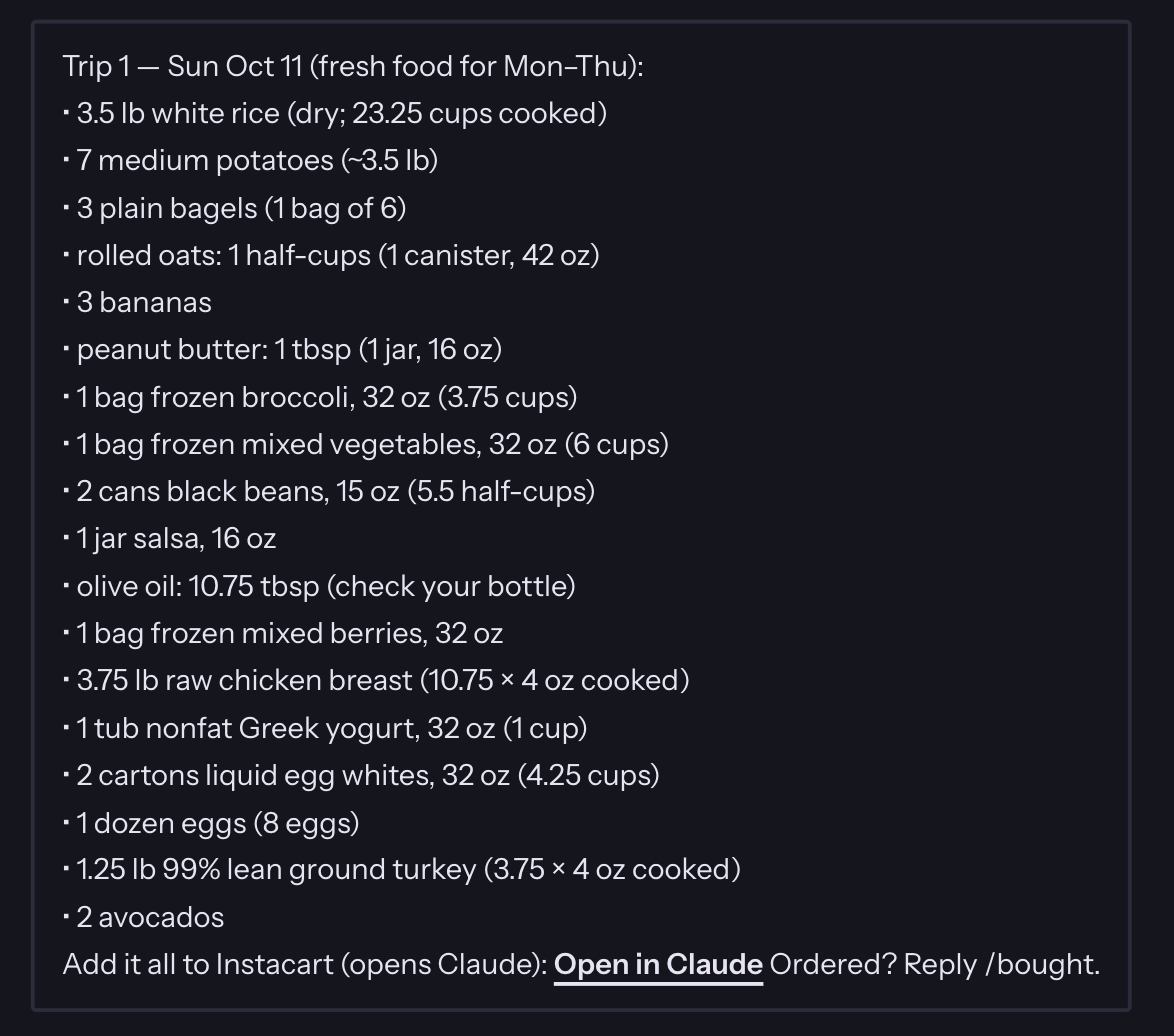
On the dashboard, each trip on the Shopping list card and the fridge heads-up gets an Add to Instacart via Claude button. When you ask the coach “what do I need to buy”, it pastes the list and tells you the link is right below it.
What happens in Claude
-
The link opens a new Claude chat with the message already typed in: your store, a few rules, and one line per item. Claude shows a yellow note, “Use caution before running this prompt”, above any message that arrives through a link. That is Claude being careful about links in general; this one comes from Bodymaxxer and only lists groceries. Read it, then send it.
-
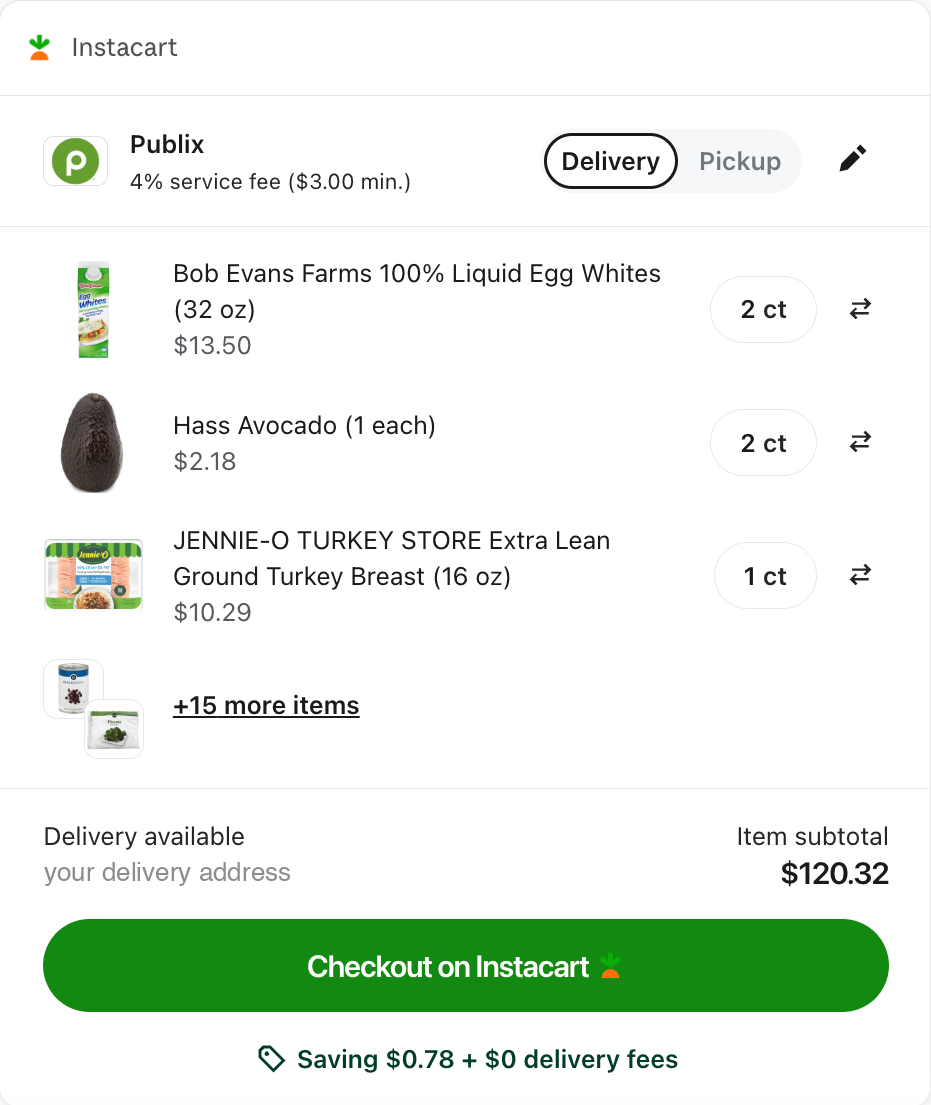
Claude’s Instacart connector finds the closest match for each item at your store. For meat sold by weight it picks packs that add up to the amount; when something is out of stock it picks the nearest substitute and tells you. You get a cart card you can still edit: change a quantity, swap an item, switch between delivery and pickup.
-
Tap Checkout on Instacart. Instacart opens with the cart; you choose the delivery or pickup time and pay there, as always. Claude never checks out for you.
-
Back in Bodymaxxer, reply
/bought(or tap Mark bought on the dashboard) once the groceries are in. The brief stops reminding you about that trip.
Good to know
- Two lines are never in the cart: protein powder and olive oil. The list shows them as “check your tub” / “check your bottle” because you almost always have them; add one in Instacart if you are out.
- Prices are Instacart’s. Bodymaxxer never sees your cart or what you paid; it only writes the list.
- No link under a list? Check that the switch is on in Settings → Integrations. The dashboard buttons also need
CookUnity connected; the brief,
/shoppingand the coach work without it. - No list yet? The first one comes when your next CookUnity order is placed, or when Bodymaxxer plans a backup day.
- No Claude account? The list still prints exactly as before; shop it however you like.
Still stuck? Write to [email protected] or ask the coach in chat.